Seven out of every ten shoppers who add a product to a cart never complete the purchase. The reason is rarely price, product quality, or marketing. It is checkout friction, the collection of small barriers between “I want this” and “payment complete” that quietly drains revenue from otherwise healthy stores.
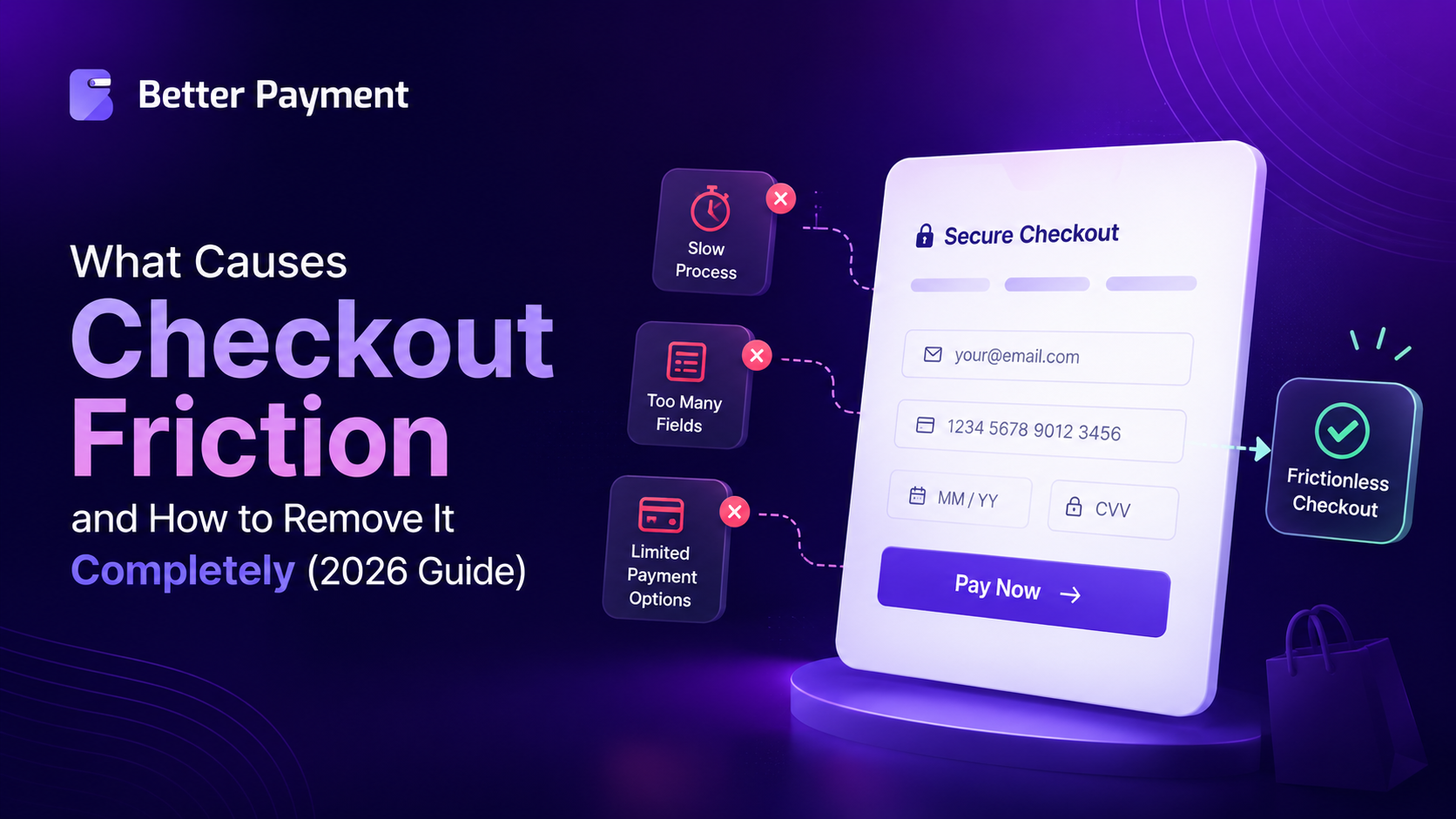
According to Baymard Institute’s 2026 research, the global cart abandonment rate has held steady at 70.22% for over a decade. Of that, roughly $260 billion is recoverable through better checkout design. Most of the revenue you are losing right now is not gone forever. It is sitting on the table, waiting for you to remove the friction blocking it.
This guide explains exactly what causes checkout friction, breaks it into clear categories you can act on, and walks you through the WordPress-friendly fixes that remove it.
A Quick Summary / TL;DR
Everything you need to know about checkout friction in 60 seconds.
- Cart abandonment is mostly a friction problem. The global average is 70.22%, and most of it is fixable through better checkout design.
- The top cause is unexpected costs at checkout. Shipping fees, taxes, and added charges that appear at the final step drive 48% of abandonments.
- Forced account creation is the second-biggest killer. 26% of shoppers leave when asked to create an account before buying.
- Form length matters more than most realize. The ideal checkout has 7 to 8 fields. The average is nearly 15. Each extra field is friction.
- A streamlined checkout can boost conversions by 35.26%. That is one of the highest-ROI moves available to any online business.
- WordPress users have a clear path to fix this. A purpose-built payment plugin removes most friction without code.
- The single biggest mistake is treating checkout as static. Audit it quarterly. Test continuously. Fix the highest-impact issues first.
What Is Checkout Friction?
Checkout friction is any element in the payment flow that slows down, confuses, or discourages a buyer who has already decided to purchase. It is different from general site friction because it happens at the moment of highest intent, where every extra second or unnecessary click directly costs revenue.
A Working Definition
Checkout friction includes every visible and invisible obstacle between the moment a customer says, “I want this” and the moment they receive a payment confirmation. That covers technical issues (slow pages, broken forms), design issues (cluttered layouts, hidden CTAs), trust issues (missing security badges, unfamiliar payment options), and process issues (forced account creation, too many steps).
Why Is Checkout Friction Different From General UX Friction
By the time a shopper reaches checkout, as MarTech reports, most decision-making is done. The product, the price, and the brand have already passed evaluation. The job of the checkout is not persuasion. It is to remove every reason to hesitate. That makes checkout friction uniquely costly because the buyer is already past the point where marketing or discounting can win them back.
The categories of friction worth knowing – friction sits in five major categories:
- Cost transparency
- Account requirements
- Form complexity
- Technical performance, and
- Trust
Categorizing friction matters because each category has its own diagnostic and its own fix. A flat list of “things that go wrong at checkout” is not actionable. A taxonomy is.
What Are the 7 Main Causes of Checkout Friction?
The data from across the industry is remarkably consistent. Seven causes show up in every major study of cart abandonment. The table below summarizes each cause with its abandonment impact and primary fix, and then we break each one down.
| Cause of Friction | Abandonment Impact | Primary Fix |
| Unexpected costs at the final step | 48% | Show all costs upfront |
| Forced account creation | 26% | Enable guest checkout |
| Long or complicated checkout flow | 22% | Reduce to 7 to 8 form fields |
| Lack of trust in payment security | 18% | Add inline trust signals |
| Total cost not shown upfront | 17% | Pre-checkout cost calculator |
| Slow page loads (especially mobile) | High | Compress, defer, optimize |
| Limited payment method options | 10 to 15% conversion impact | Add wallets and BNPL options |
1. Unexpected Costs at the Final Step
This is the single largest cause of cart abandonment. Shoppers add items, reach the final step, see a shipping fee or tax they did not expect, and leave. The product price felt acceptable. The total does not.
2. Forced Account Creation
Requiring an account before purchase is a conversion killer that most stores still have not fixed. A quarter of shoppers leave at this step rather than create a password they will likely forget. The fix is to let the purchase happen first, then invite account creation after checkout is complete.
3. Long or Complicated Checkout Flow
The average eCommerce checkout in the US has 23.48 form elements and 5.1 steps. Baymard’s usability research puts the ideal at 12 to 14 form elements and 7 to 8 actual form fields. Most stores are running with double the optimal number of fields, and every extra field measurably reduces completion.
4. Slow Page Loads on Mobile
Speed is the silent friction. 57% of online shoppers will abandon if a checkout page takes more than 3 seconds to load. Mobile is the harder problem because slower connections, heavier scripts, and tracking pixels compound to push load times above the threshold.
5. Limited Payment Method Options
If a customer’s preferred payment method is missing at checkout, many leave rather than enter card details manually. Stores with four or more payment options convert at notably higher rates than single-gateway stores. Adding digital wallets like Apple Pay, Google Pay, and Shop Pay alone can lift conversion by 12% to 15%.
6. Weak Trust Signals at the Payment Step
Payment is the moment buyers feel most exposed. Missing security badges, unfamiliar gateway names, or generic payment forms trigger hesitation. Checkout.com’s global survey found that 40% of shoppers have abandoned a cart due to security concerns. Trust signals next to the pay button measurably reduce that anxiety.
7. Poor Mobile Checkout Experience
Mobile is now the dominant device for eCommerce traffic. Stripe’s checkout research notes that mobile drove around 75% of ecommerce visits in early 2025. Tiny tap targets, keyboards covering form fields, and missing mobile-native payment methods all contribute to mobile-specific abandonment.
How to Remove Checkout Friction Completely
Each cause has a clear fix. The order below reflects roughly the ROI of each change, with the highest-impact, lowest-effort changes first.
1. Show All Costs Upfront
Display shipping, taxes, and any fees before the final checkout step. Add a shipping calculator on the product or cart page, and use clear total breakdowns rather than burying fees at the bottom of the order summary. Customers will tolerate a higher total. They will not tolerate surprise.
2. Enable Guest Checkout
Make guest checkout the default option. Place “Continue as guest” prominently and treat account creation as a post-purchase nicety, not a prerequisite. Most eCommerce platforms support this natively, but many WordPress and WooCommerce installs still ship with forced account creation enabled.
3. Simplify Form Fields to 7 or 8
Audit every field on your checkout and ask whether it is genuinely necessary to complete the order. Most stores can safely remove the company name, the second address line, the phone number (if not required by shipping), and any custom fields built for analytics rather than fulfillment. Use autofill, address lookup, and pre-filled defaults to compress what remains.
4. Speed Up Checkout Pages
Compress images, defer non-essential scripts, and remove tracking pixels that fire on the checkout page. Searchlab’s 2026 statistics confirm that an optimized checkout flow lifts conversions by an average of 35.26%, and speed is a meaningful contributor to that lift.
5. Offer Multiple Payment Methods
At a minimum, offer credit cards and PayPal. Add Apple Pay and Google Pay to capture the mobile-native crowd, and consider buy-now-pay-later options for high-ticket items. Saved payment methods alone reduce abandonment by 31% for returning customers, according to Swell’s 2026 cart abandonment research.
6. Strengthen Trust Signals Next to the Pay Button
Place SSL indicators, recognized payment logos, money-back guarantees, and brief security reassurances directly adjacent to the payment form.
The goal is to address the trust signal at the exact moment it occurs, not on a separate trust page that buyers never visit.
While the principles above apply to any eCommerce platform, WordPress and WooCommerce users have a unique advantage. Many checkout friction issues can be solved through configuration rather than custom development when the right payment infrastructure is in place.
How to Remove Checkout Friction on WordPress And WooCommerce
WordPress users have specific tools available that solve most of the friction points above without writing code. The approach below applies to eCommerce stores, donation sites, course creators, membership sites, and service businesses alike.
1. Choose a Payment Plugin Built for Conversion
The native checkout in WordPress and WooCommerce is functional, but not optimized for conversion out of the box.
A purpose-built payment plugin like Better Payment handles most friction reduction at the configuration level, including guest checkout, multiple payment methods, recurring billing and clean form design.
A few specific features worth highlighting:
- One-click payment integrations with Stripe, PayPal, and Paystack.
- Multi-currency support for seamless international transactions.
- Custom purchase forms for individual WooCommerce products.
- Automated notifications and email templates for customers and admins.
- Transaction management tools with logs, invoices, and export options.
- No-code form builder compatible with Gutenberg, Elementor, and widgets.
2. One-click Payments via Stripe, PayPal And Paystack
One-click payments remove the single biggest source of mobile friction: typing a 16-digit card number on a small keyboard. Stripe and PayPal both support one-click flows that store payment details securely after the first purchase, making every subsequent checkout almost instant.
3. Recurring Payments without Checkout Friction
For subscription businesses, membership sites, and recurring donations, the standard one-time checkout flow adds unnecessary friction. Use a payment plugin that handles recurring billing natively, so customers complete one frictionless checkout and renewals run automatically in the background.
Checkout friction affects more than eCommerce stores. Nonprofits, membership sites, course creators, and fundraising campaigns face many of the same conversion barriers.
4. Donation Payment Forms That Convert
Donation payment use cases get hit twice by friction because they often happen on emotion (donations). It demands the lightest possible checkout. Use form layouts that ask for the minimum, default to common amounts, and offer recurring options without redirecting the donor to a separate page.
5. Custom Checkout Styling with Elementor & Gutenberg
A checkout form that looks like it belongs to your site converts better than a third-party form that visitors do not recognize. Elementor & Gutenberg integration lets you style payment forms to match your brand without writing CSS, which reduces the trust gap that off-brand checkout pages create.
How to Audit Your Own Checkout for Friction
Before investing in changes, run a diagnostic to find where your store is leaking. This four-step audit takes one hour.
1. Walk Through It Yourself on Three Devices
Place a real test order on desktop, mobile, and tablet. Note every moment where you hesitate, get confused, or have to think. Anything that feels even slightly off for you will feel ten times worse to a first-time visitor.
2. Use Heatmaps And Session Recordings
Consider using session recording tools such as Hotjar or Microsoft Clarity for two weeks on your checkout pages only to understand abandonment behavior. Watch the recordings of users who abandon. Look for rage clicks, scroll patterns, form field hesitations, and exit points.
3. Measure Form Completion Rates
Track how many visitors enter each step of your checkout and how many complete it. The drop-off between steps tells you exactly where the friction lives. If 60% of visitors enter step two but only 35% reach step three, the friction is on step two.
4. A/B Test For The Highest-impact Changes First
Start with the changes from the table earlier in this guide that match your biggest drop-offs. Test one change at a time, give each test enough traffic to reach statistical significance, and document the result. For more in-depth tactics, the Better Payment blog covers checkout optimization across ecommerce, donations, and subscription use cases.
The Checkout Friction Audit Checklist
Run through this checklist before your next quarterly site review. Each item maps directly to a friction point covered earlier in this guide. If you check fewer than 10 of these as “yes,” your checkout is likely costing you measurable revenue every day.
1. Cost Transparency
- Are all costs visible before checkout? Shipping, taxes, and any fees should appear on the cart or product page, not only at the final step. If costs only appear at checkout, expect a 48% abandonment hit at that step.
- Is there a pre-checkout cost calculator or shipping estimator? Tools that estimate shipping based on a zip code or country before checkout reduce surprise at the final step.
2. Account and Checkout Flow
- Is guest checkout enabled and prominently positioned? “Continue as guest” should be the default option, with account creation positioned as a post-purchase invitation rather than a prerequisite.
- Are there fewer than 10 required fields? Audit your checkout form field by field. Most stores can safely remove the company name, second address line, and phone number where shipping does not require it.
- Is autofill and address lookup enabled? Smart autofill reduces typing significantly, especially on mobile, where every keystroke is friction.
3. Performance
- Does checkout load in under 3 seconds? Test on a throttled 3G connection, not just your office WiFi. Use PageSpeed Insights or GTmetrix to measure realistic load times.
- Is the checkout free of unnecessary tracking pixels and scripts? Each script adds load time. Audit what fires on the checkout page versus elsewhere on the site, and remove anything not strictly required to complete a transaction.
4. Payment Methods
- Are Apple Pay and Google Pay available? These digital wallets account for a meaningful share of mobile checkout completions and remove the friction of typing a card number.
- Is PayPal offered alongside credit cards? Stores offering four or more payment options convert at notably higher rates than single-gateway stores.
- Are saved payment methods working for returning customers? Saved methods reduce abandonment by 31% for repeat buyers, according to industry research cited earlier.
5. Trust Signals
- Are trust signals visible near the payment submission button? SSL badges, recognized payment logos, money-back guarantees, and brief security reassurances should appear directly adjacent to the Pay button, not on a separate trust page.
- Is the checkout URL HTTPS-secured? Modern shoppers check for the lock icon. Insecure checkouts get abandoned immediately and may also be blocked by browsers.
6. Mobile Experience
- Is the mobile experience fully tested on real devices? Place a real test order on an actual mobile device, not just an emulator. Note any moment where tap targets feel small, the keyboard covers form fields, or scrolling feels off.
- Do mobile-native payment methods work end-to-end? Apple Pay on iOS, Google Pay on Android, and Shop Pay, where supported. Test each path on the actual device.
Scoring Your Audit
Count your “yes” answers and map your result to a recommended next step.
| Score | What It Means | Recommended Next Step |
| 12 to 14 | Your checkout is in the top 10% of stores | Focus on continuous A/B testing and shaving the last seconds from load time |
| 9 to 11 | Strong foundation with some gaps | Pick the lowest-effort “no” items first and tackle them this month |
| 6 to 8 | Significant friction is costing you revenue | Address cost transparency and guest checkout immediately, then work down the list |
| 5 or fewer | Your checkout is leaking revenue daily | Start with the 7 main causes table earlier in this guide and work top-down |
The goal is not perfection on day one. The goal is to identify the highest-impact gaps and close them in priority order. A checkout that scores 8 today and 12 in six months will outperform a checkout that tried to fix everything at once and stalled.
Reduce Checkout Friction for Seamless Transactions
Checkout friction is not a single problem with a single fix. It is a stack of small barriers that add up to lost revenue, and removing them is one of the highest-ROI moves any online business can make. Three takeaways are worth holding on to.
First, the data is unambiguous. A streamlined checkout lifts conversions by an average of 35.26%, which is more than almost any other CRO initiative can deliver. Second, most of the fixes are configuration changes, not redesigns, which means the payback period is measured in weeks rather than quarters. Third, WordPress users have a clean path forward through a purpose-built payment plugin, plus the audit framework above.
If you are ready to remove checkout friction from your WordPress site and start collecting more of the revenue that is already in motion, explore the complete setup documentation or get in touch with our team about your specific use case.
Subscribe to our blog for more checkout strategies and join our Facebook community to connect with like-minded nonprofit professionals and share insights on building sustainable business.