A great cause does not raise money on its own. The page that carries it does most of the work. That is why the layout you start with matters so much. The right structure guides a visitor from the first line to the donate button without a single moment of doubt.
This is where campaign builder templates earn their place. Instead of building a donation page from an empty screen, you start from a ready layout that already puts the story, the goal and the donation request in the right order. You keep the parts that convert, and you change the words to fit your mission.
In this guide, you will see 5+ fundraising campaign templates and the exact conversion feature that makes each one work. Pick the one closest to your cause, customize it and publish.
A Quick Summary / TL;DR
Here is the short version.
- Campaign builder templates give you a conversion-focused donation page without starting from scratch.
- Each template below leads with a different conversion driver, such as urgency, suggested amounts, a progress bar or social proof.
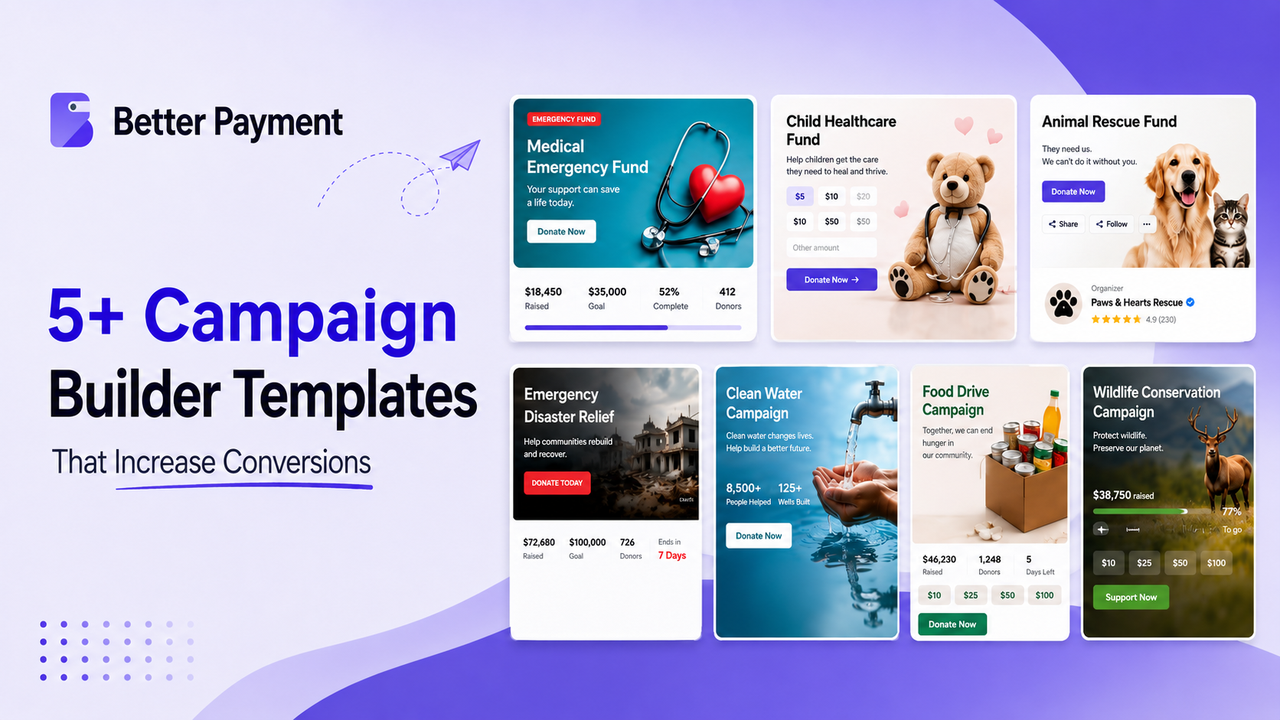
- The seven picks cover medical, healthcare, animal, disaster, water, food and wildlife causes.
- Small structure choices move the numbers. According to GoFundMe Pro, reducing a form from 11 fields to 4 increased conversions by 120% in one study.
- The average main donation page converts around 11% on desktop and 8% on mobile, based on the M+R benchmark. A better template helps you clear that bar.
What Makes a Campaign Builder Template Conversion-Friendly
Before the templates, it helps to know what you are looking for. A layout does not convert because it looks nice. It converts because it removes doubt and makes the next step obvious.
A few elements do most of the heavy lifting:
- A clear hero and headline. The top of the page sets the emotional tone and names the cause in one glance.
- Suggested donation amounts. Preset tiers tied to real impact help donors decide faster than a blank amount field.
- A visible progress bar and goal. Seeing money already raised turns a solo choice into shared momentum.
- A short, mobile-friendly form. Roughly half of all donors give from a phone, so fewer fields and a fast load protect every gift.
- Trust signals near the payment step. According to iDonate, security icons placed next to payment fields can increase conversions by about 20%.
Every template below builds on these ideas. The difference is which one it leads with.
5+ Campaign Builder Templates That Increase Conversions
Choosing the right campaign layout can make it easier to communicate your cause, build trust and guide visitors toward the donation button. But not every campaign needs the same approach. Below are 5+ campaign builder templates designed around different fundraising needs. Each one highlights a specific element that can make a donation page clearer, more engaging and easier for supporters to act on.
Find the template that best fits your cause, customize it with your campaign details and make it your own. Each template below uses the same conversion fundamentals, but emphasizes a different one depending on the type of campaign.
1. Medical Emergency Fund
This template is built for speed and emotion. The bold Emergency Fund hero image and the warm, direct copy signal that help is needed now, not later. It fits a hospital bill, an urgent treatment, or any appeal where time is short.
Conversion driver: urgency framing.
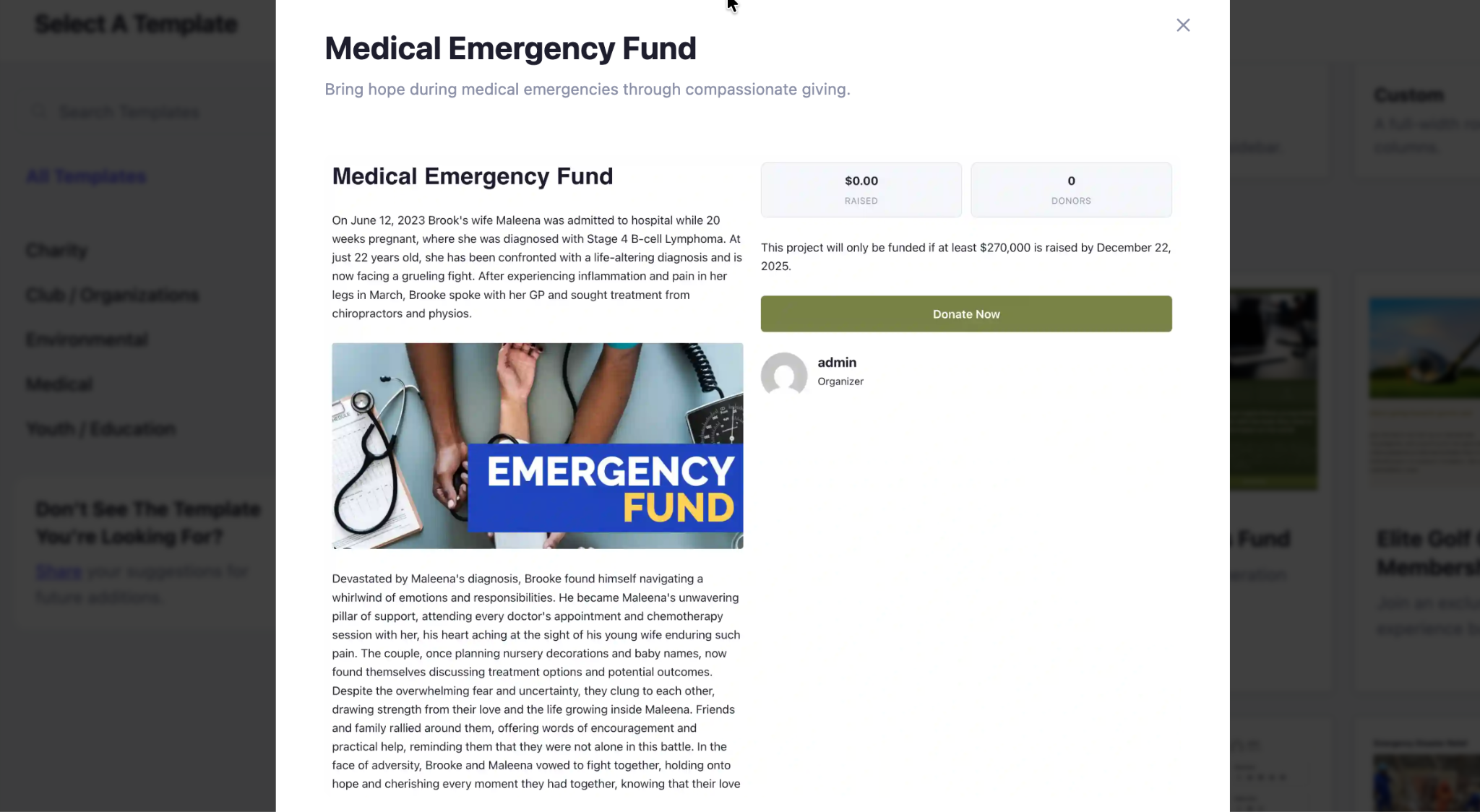
When the layout makes it clear that the need is urgent, donors can act fast instead of waiting. A calm page invites people to give later, and later often never comes.
2. Child Healthcare Fund
The Child Healthcare Fund template leads with a clean amount selector. Preset buttons for five, ten, fifteen, and twenty, plus a custom field, sit right next to a bright donate button. It works well for treatments, vaccinations, surgeries, and ongoing care.
Conversion driver: suggested donation amounts.
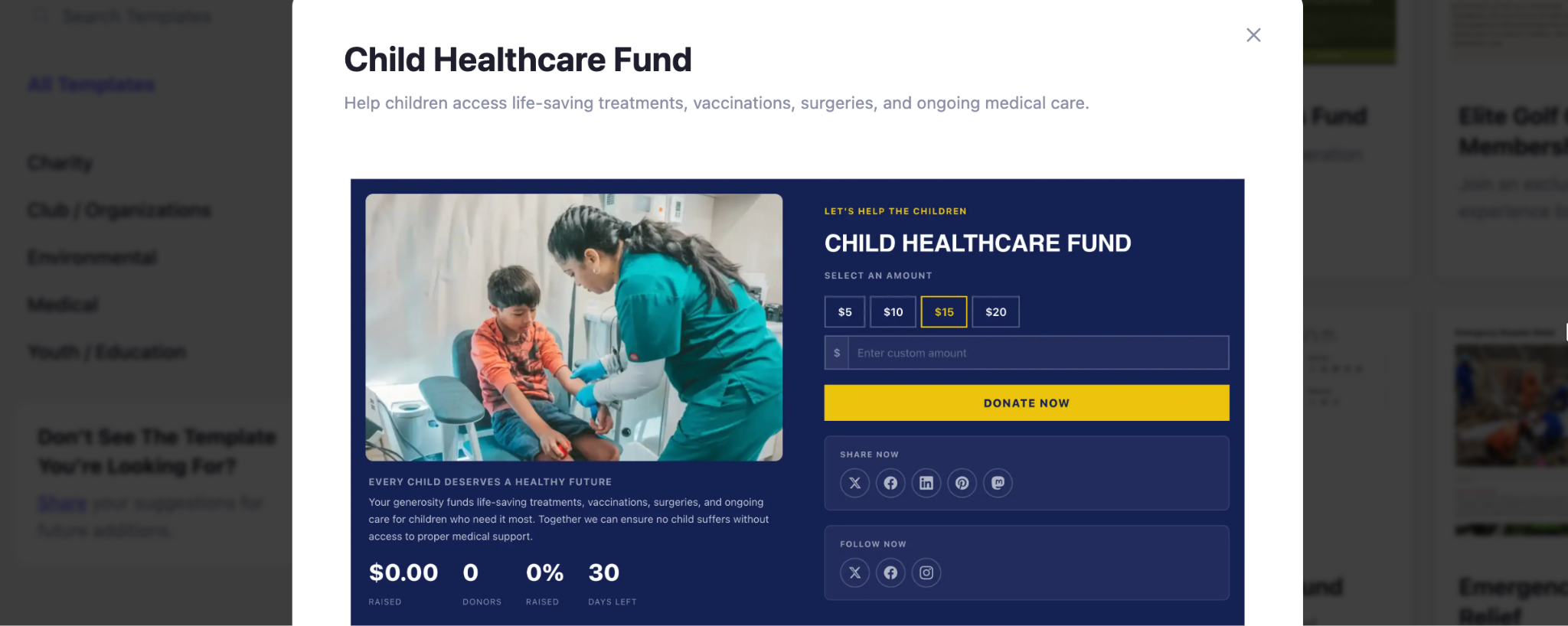
Preset tiers remove the hardest question a donor faces, which is how much to give. A ready number is far easier to accept than a blank box, and it nudges people toward a meaningful gift. Preset amounts reduce the effort of deciding how much to give and can make the donation process feel more straightforward.
3. Animal Rescue Fund
This layout puts people and animals front and center with a large group photo and a visible organizer profile. Share and follow buttons sit close to the top, so supporters can spread the appeal in one tap. It suits shelters, rescues, and adoption drives.
Conversion driver: social proof and sharing.
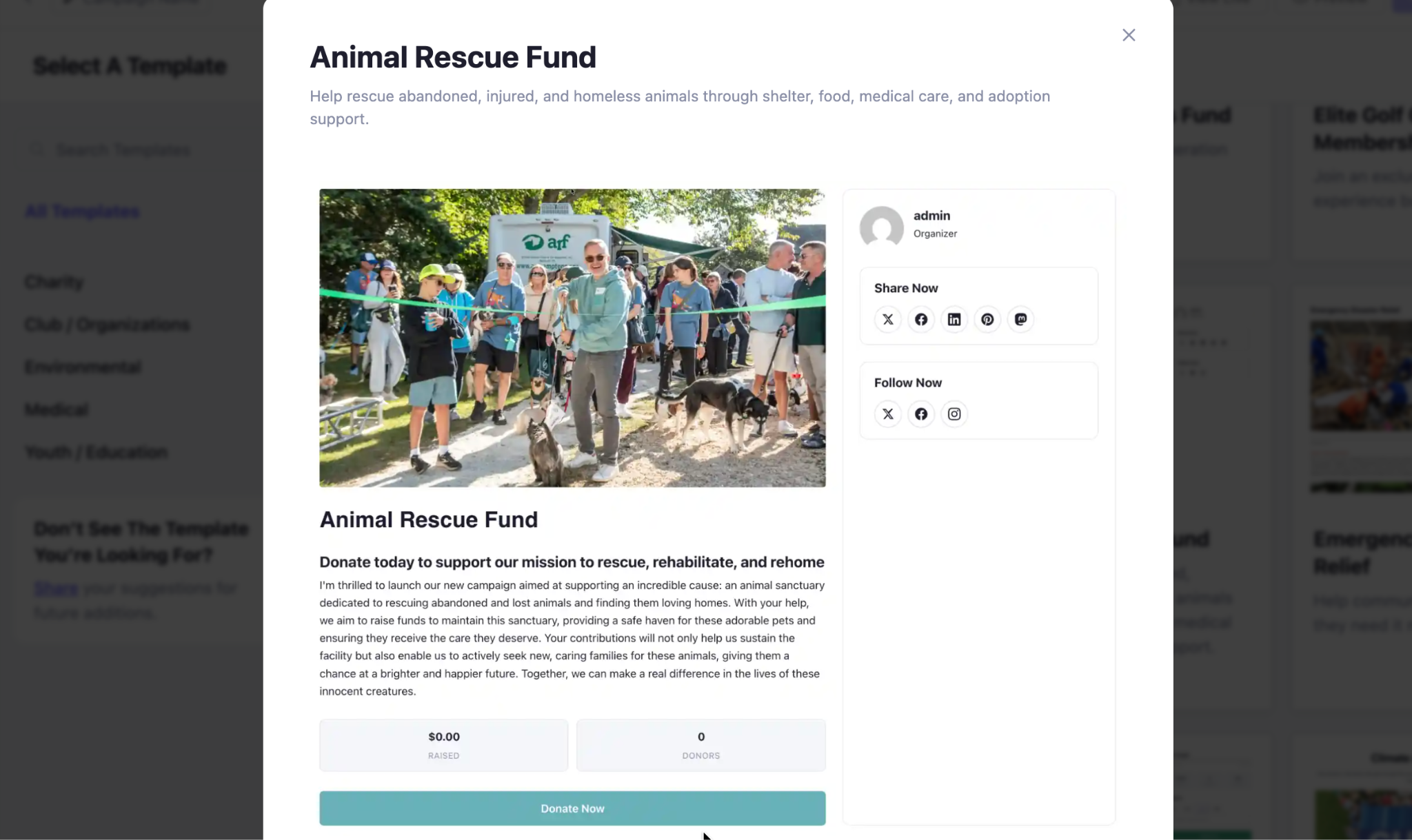
A named organizer builds trust, and easy sharing turns one donor into a doorway to many. When giving feels normal and public, more visitors join in.
4. Emergency Disaster Relief
The Emergency Disaster Relief template pairs a hard goal with a deadline. A donate today panel shows the target, the amount raised, the number of donors, and a clear date the campaign must reach. It is made for floods, storms, and rapid recovery efforts.
Conversion driver: deadline plus goal thermometer.
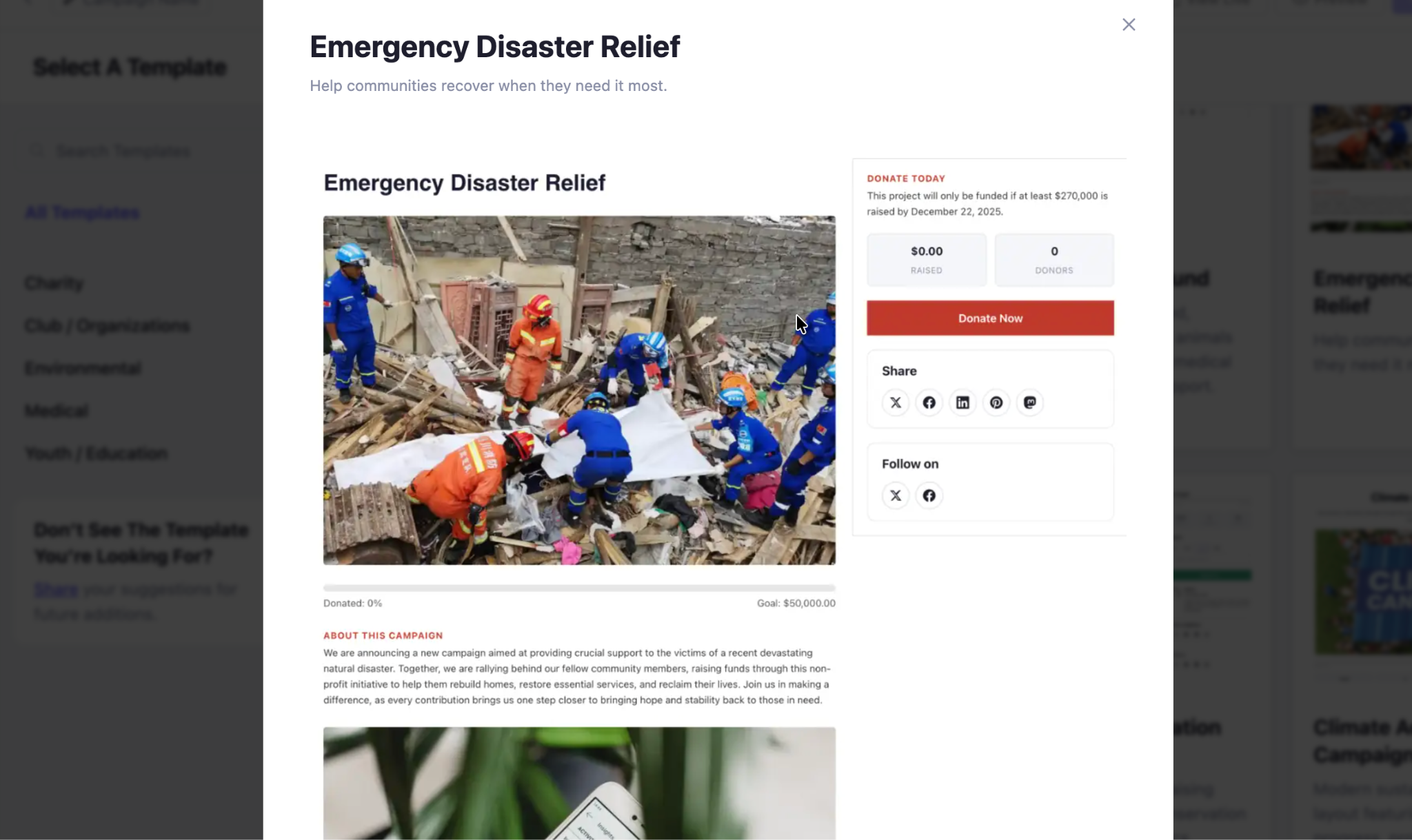
A visible target and a fixed date create honest urgency. Donors understand that their gift is part of a race against the clock, which pushes them to act now.
5. Clean Water Campaign
This mission-focused template is built around proof. It leads with impact statistics, beneficiary stories, donation progress, and a spot for volunteer sign-ups. It fits clean water work and any cause that can show a clear before and after.
Conversion driver: impact statistics and stories.
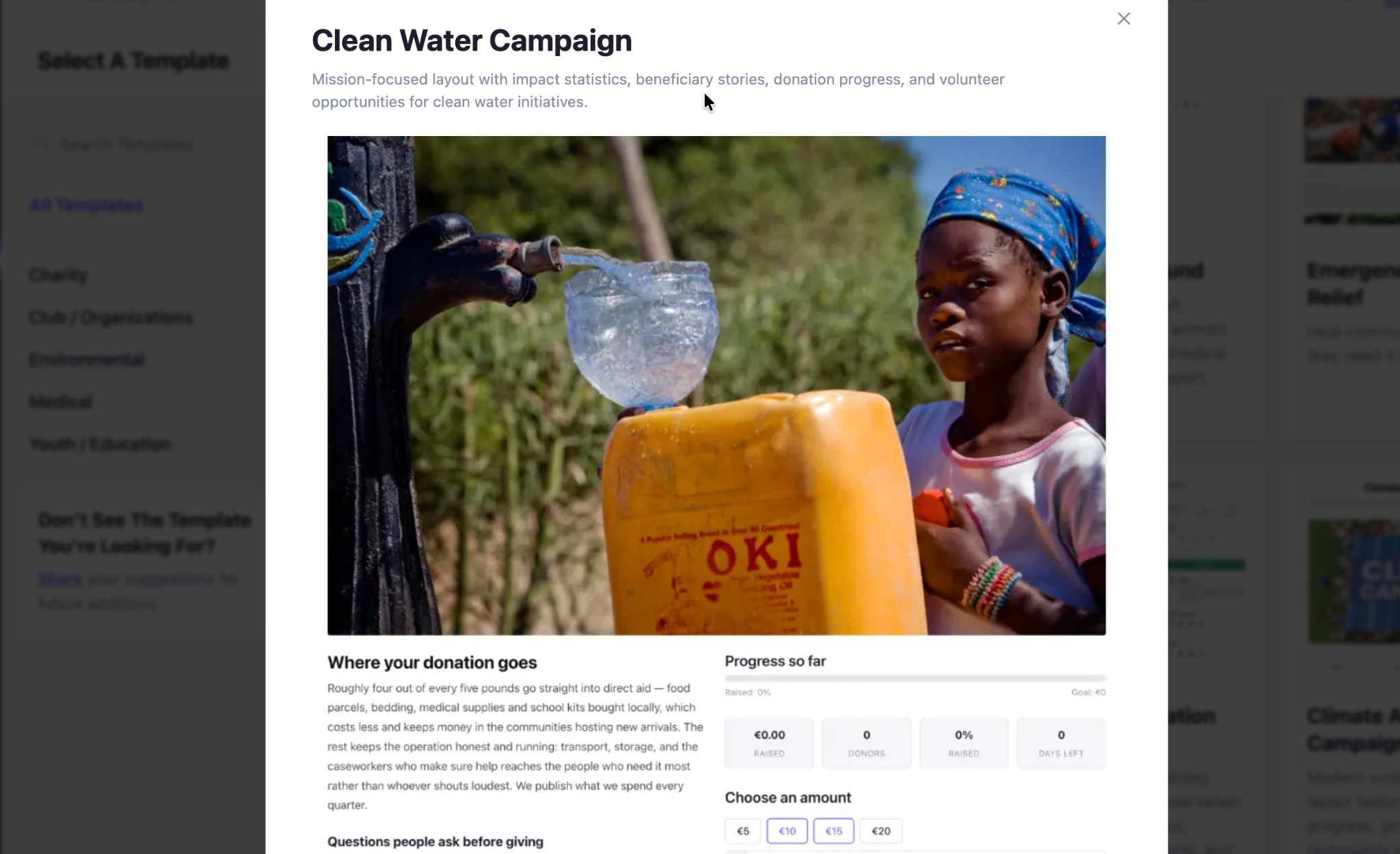
Numbers earn belief and stories earn feeling. Together they answer the quiet question in every donor mind, which is whether the gift will actually change something.
6. Food Drive Campaign
The Food Drive Campaign template is a live command center. A this is happening now banner sits above a target panel that tracks money raised, donors, and days left, with quick chip amounts for fast giving. It works for food banks, community drives, and sponsor-backed appeals.
Conversion driver: real-time progress and quick chips.
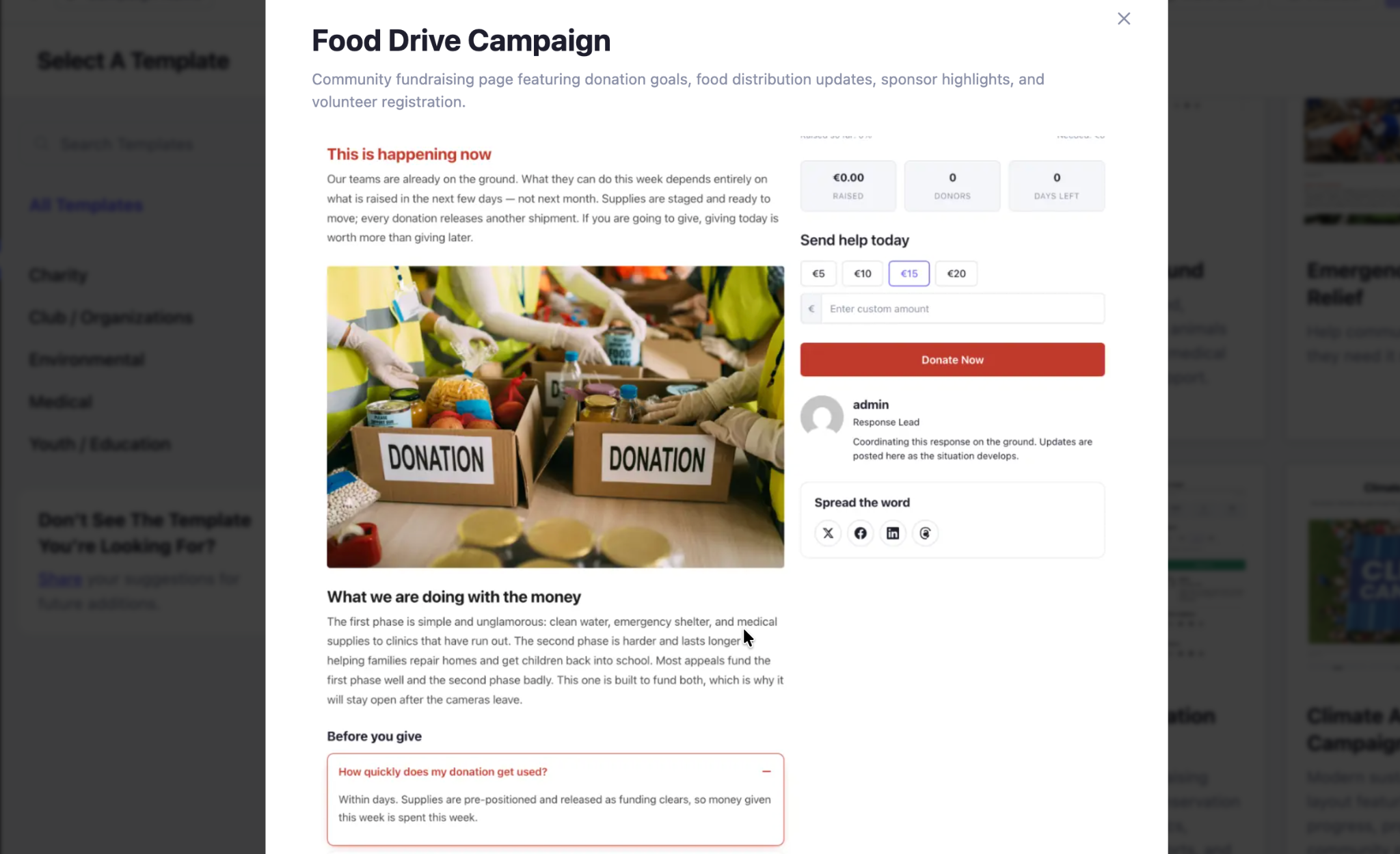
Live counters show that the campaign is active and gaining ground. The preset chip amounts then let a moved visitor give in seconds, before the moment passes.
7. Wildlife Conservation Campaign
This nature-inspired template leads with a clear target and a raised percentage, so progress is easy to read at a glance. A chip in row offers preset amounts next to a branded support button. It suits conservation projects, species protection, and long-running milestone campaigns.
Conversion driver: percentage progress bar.
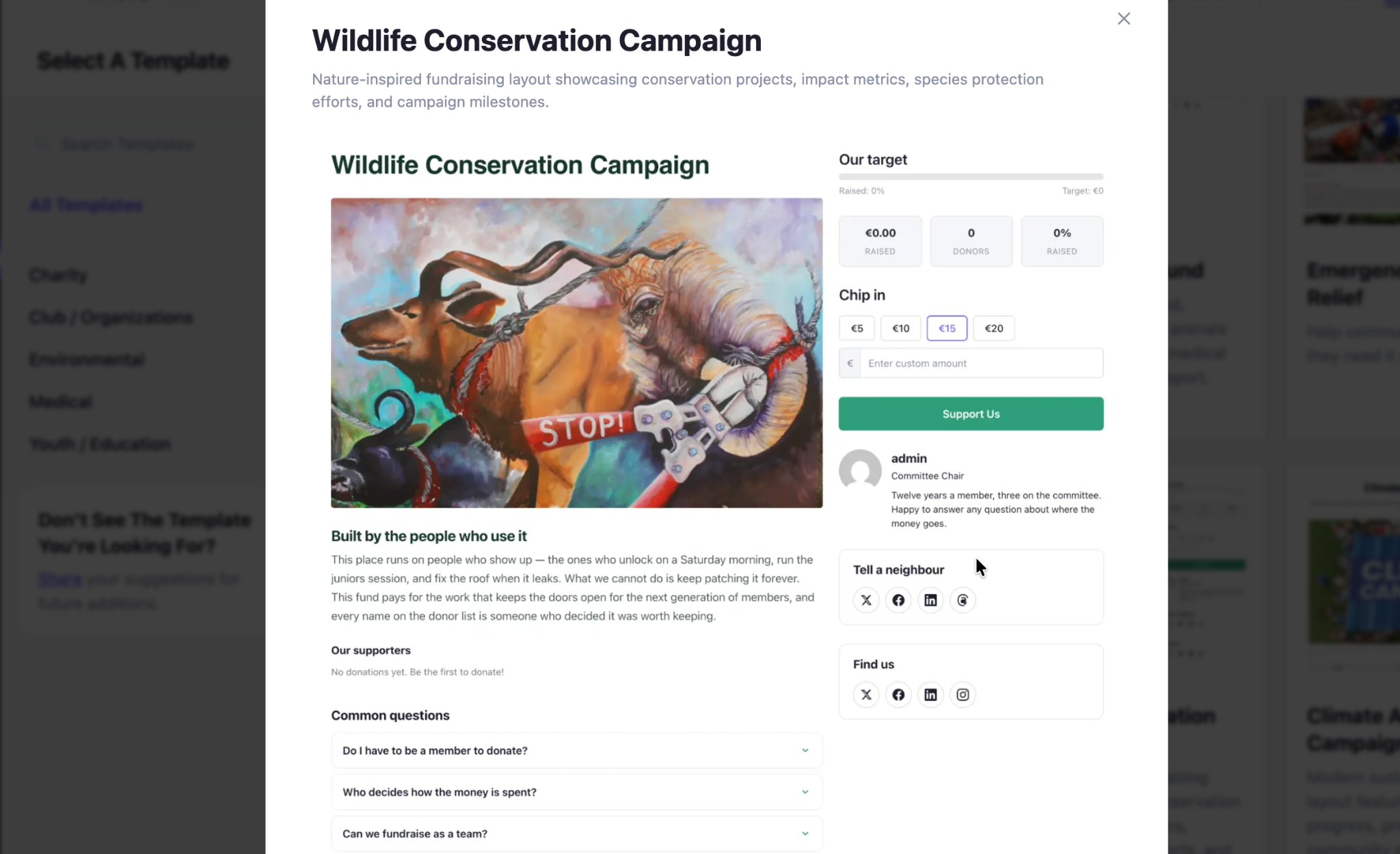
A filled bar with a percentage is one of the strongest nudges in fundraising. It shows momentum, and momentum makes the next gift feel like joining a winning effort rather than starting one.
Quick Comparison: Which Template Fits Your Campaign
Not sure which template to reach for? The table below lays out all seven side by side — what each one is best for and the single conversion lever it leans on hardest. Skim it to find the closest match to your cause, then customize from there.
| Template | Best for | Main conversion focus | Why it works |
| Medical Emergency Fund | Hospital bills, urgent treatments, any time-sensitive appeal | Urgency framing | Signals the need is now, so donors act instead of putting it off |
| Child Healthcare Fund | Treatments, vaccinations, surgeries, ongoing care | Suggested donation amounts | Preset tiers remove the “how much should I give?” friction |
| Animal Rescue Fund | Shelters, rescues, adoption drives | Social proof & sharing | A named organizer builds trust; one-tap sharing turns one donor into many |
| Emergency Disaster Relief | Floods, storms, rapid recovery efforts | Deadline + goal thermometer | A fixed date and visible target create honest, act-now urgency |
| Clean Water Campaign | Clean water work, any cause with a clear before/after | Impact statistics & stories | Numbers earn belief, stories earn feeling — together they prove the gift matters |
| Food Drive Campaign | Food banks, community drives, sponsor-backed appeals | Real-time progress + quick chips | Live counters show momentum; chip amounts let donors give in seconds |
| Wildlife Conservation Campaign | Conservation projects, species protection, milestone campaigns | Percentage progress bar | A filled bar shows momentum, making the next gift feel like joining a winning effort |
How Better Payment Helps You Convert
Notice how many of these templates rely on the same foundation. Preset amounts, progress bars, mobile-ready forms, and secure checkout all need a payment layer that is fast, flexible and trusted.
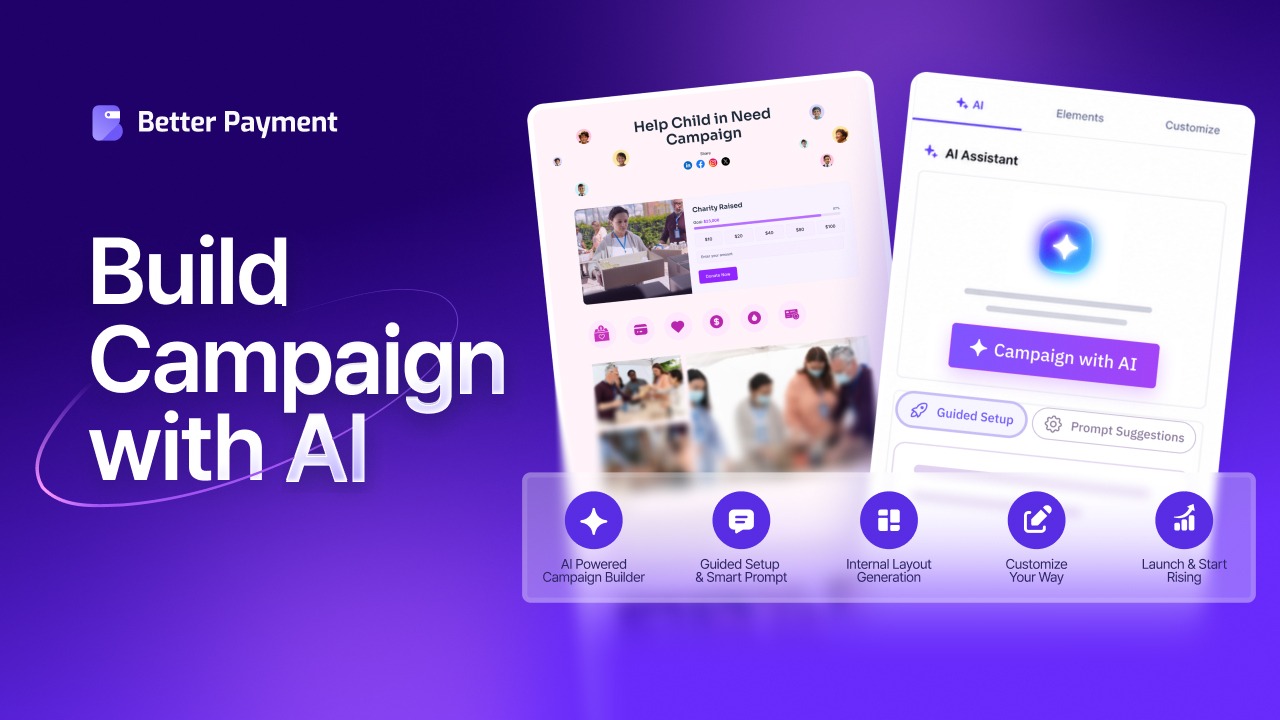
These are not just design choices. They are the building blocks Better Payments’ Campaign Builder gives you when creating a donation campaign. If you would rather skip the blank page entirely, the AI Campaign Builder can write a first draft from a single prompt.
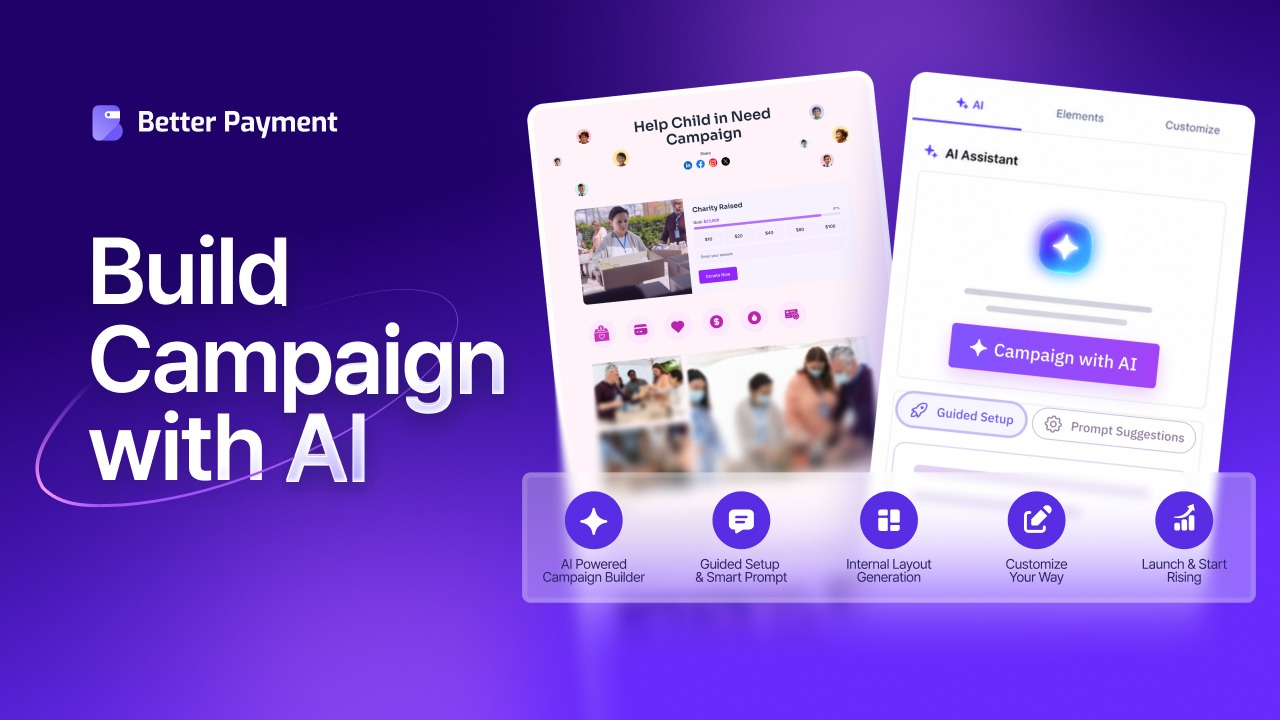
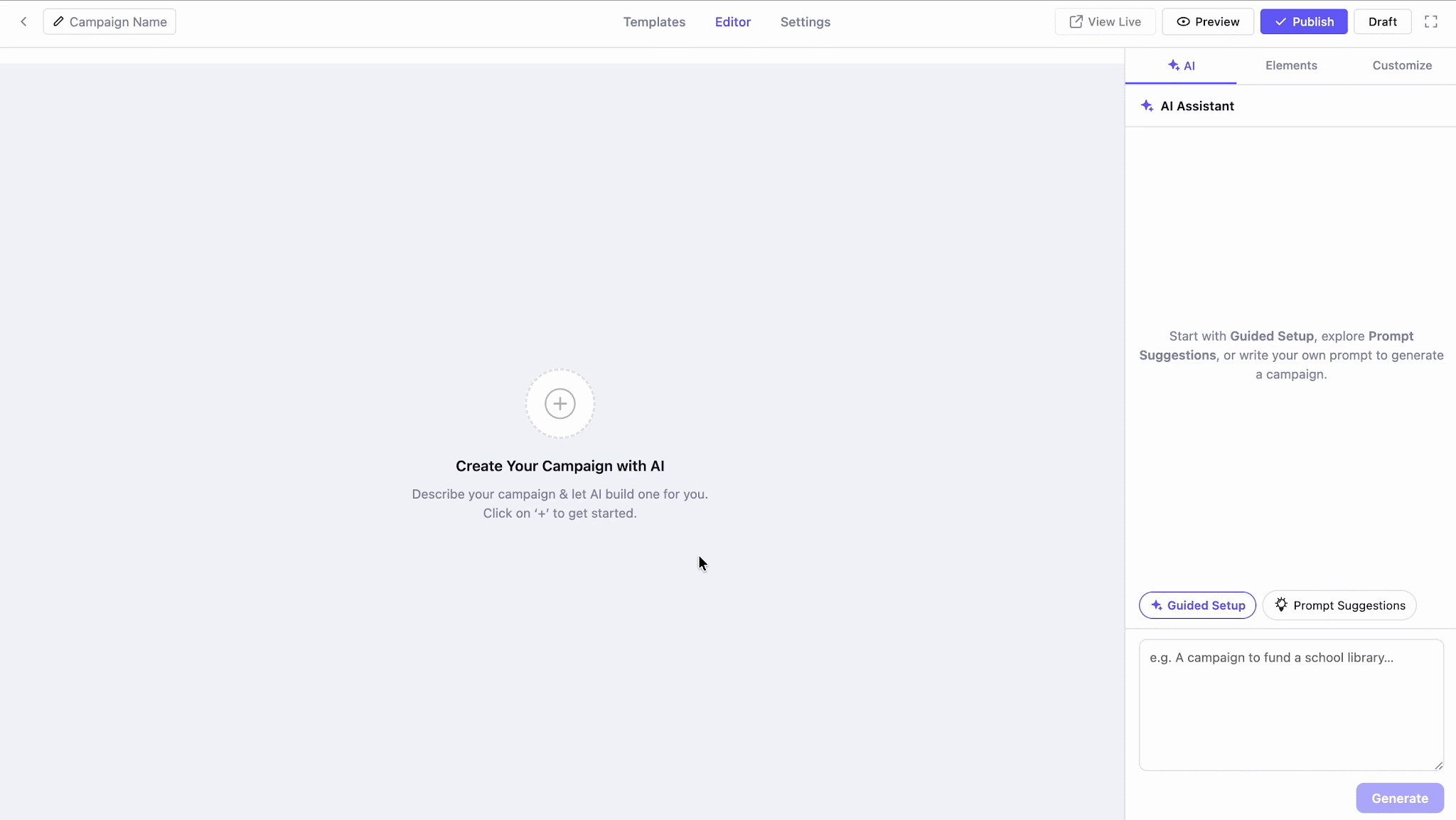
Not everyone wants to start the same way, so the AI Campaign Builder gives you three ways in. Pick the one that matches how much direction you feel like giving.
1. Write Your Own Prompt
If you already know what you want, just type it. Describe your cause, your audience and your goal in your own words and the AI turns it into a full campaign. This is the fastest path for people who know exactly what they are raising money for.
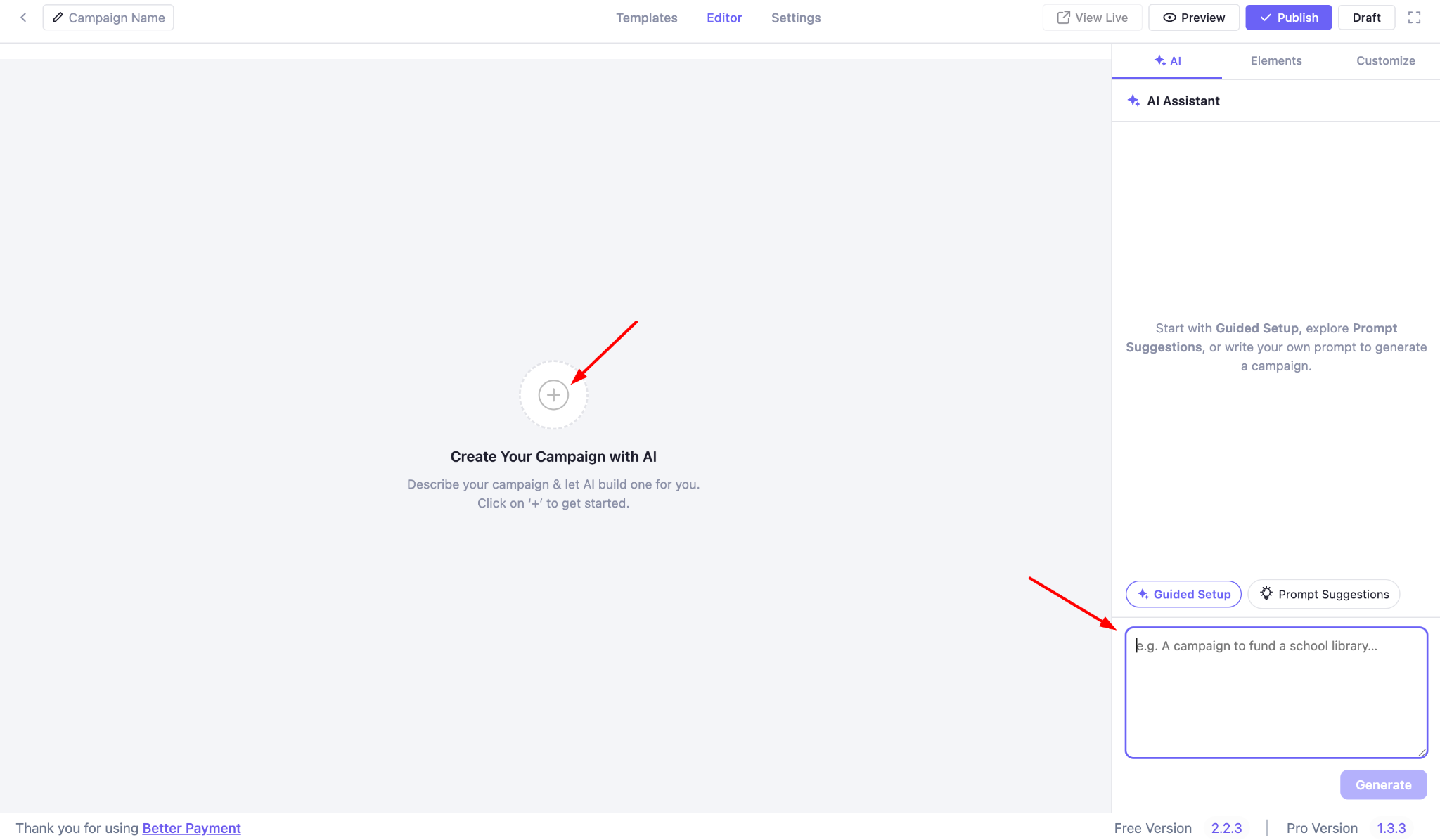
2. Guided Setup
If you would rather be walked through it, ‘Guided Setup’ asks a few quick questions and writes the rest for you. You choose a campaign layout, such as let the AI decide, one column, two columns, or custom.
You pick a category and you can add optional details like location, goal amount, content tone and an end date. Answer what you want, skip what you do not, and let the AI handle the writing.
3. Prompt Suggestions
If you are not sure how to phrase it at all, Prompt Suggestions gives you several ready-made prompts to choose from. Pick the one closest to your campaign, edit the wording if you like and click ‘Generate Campaign’. Your campaign is built and waiting.
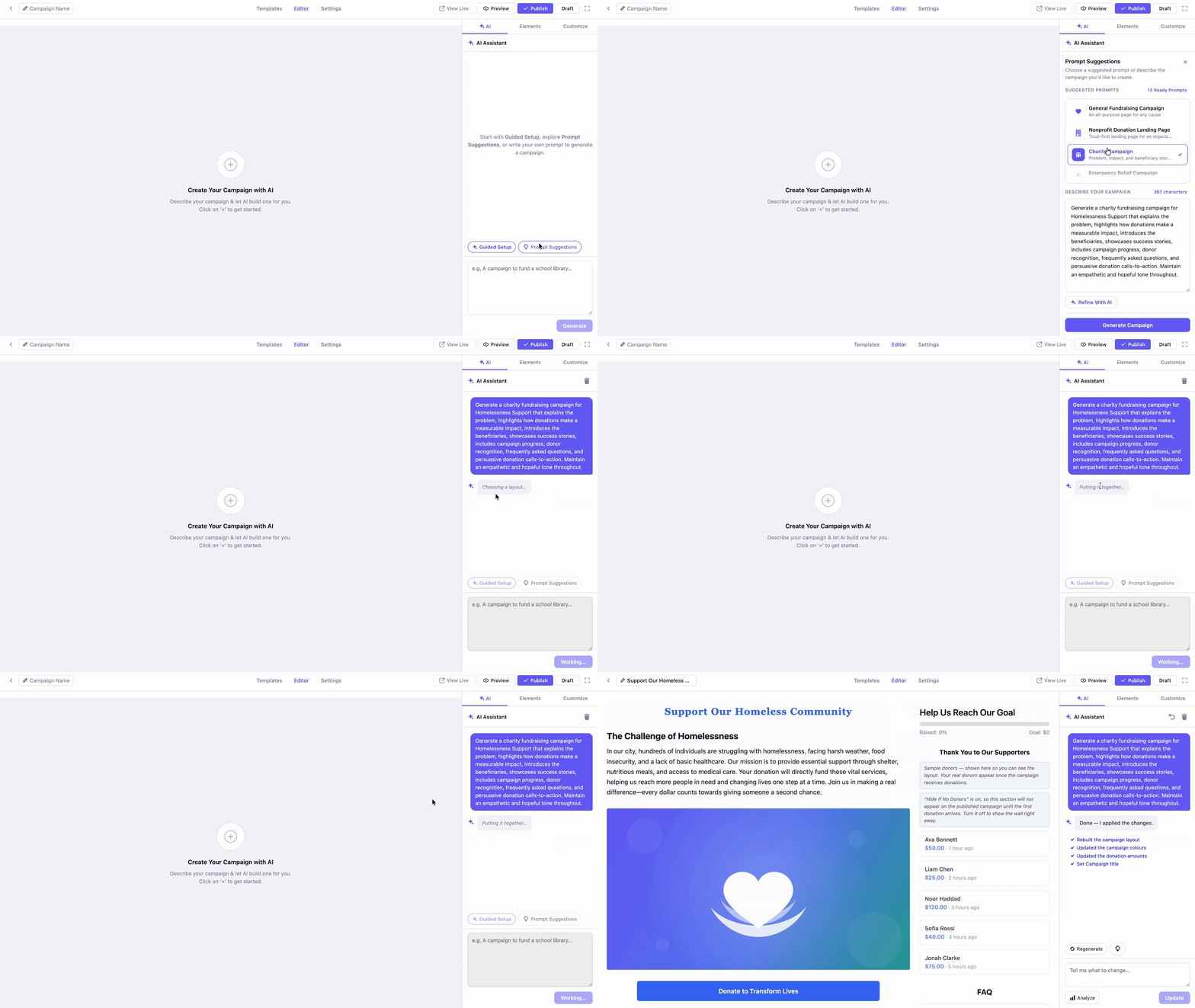
Three doors, one destination: a complete campaign you can then make your own.
Better Payment also keeps the checkout simple with mobile-ready form with multiple payment methods and secure payment processing. Reducing unnecessary friction at this stage can make it easier for visitors to complete their donation.
- If you want to go deeper on removing hurdles, see this guide on what causes checkout friction and how to remove it.
- And when you are ready to turn one-time givers into steady support, these strategies to increase recurring donations show you how.
Start With a Template That Converts
The best campaign builder templates do more than save time. They put the story, the goal, and the ask in the order that moves people to give.
Three takeaways are worth holding on to. First, start with a ready layout rather than a blank page, because structure is what turns a visitor into a donor. Second, match the template to your cause, since urgency, suggested amounts and a progress bar each fit a different kind of appeal. Third, none of it works without a fast and secure checkout, so the payment layer matters as much as the design.
Pick one template from this list, customize it for your mission and publish. Then watch where donors drop off and improve from there. If you find this blog helpful, do not forget to subscribe to our blog and join the Facebook Community for more.
Frequently Asked Questions
What are campaign builder templates?
Campaign builder templates are ready-made donation page layouts. Each one arranges the hero image, story, goal, suggested amounts, and donate button in a proven order, so you start from a working page and only change the words to fit your cause.
Do campaign templates really increase conversions?
Yes, when they are built around the right elements. A good template leads with a clear goal, offers suggested amounts, shows a progress bar, and keeps the form short and mobile-friendly. These choices reduce doubt and friction, which is what lifts the share of visitors who complete a gift.
Which template should I choose for my cause?
Match the template to the moment. Use an emergency or disaster layout when time is short, a healthcare or water layout when impact and stories carry the appeal, and a wildlife or food drive layout when a visible progress bar drives momentum.
Can I customize a campaign builder template?
Yes. A template is only a starting point. You can change the headline, the story, the images, the suggested amounts, and the button label until the page sounds like you and speaks to your supporters.
Where can I build these templates?
You can build and publish them with the Campaign Builder in Better Payment, right inside your WordPress dashboard. You pick a template, edit it, and go live on your own site with your existing payment gateway.