Nonprofit organizations manage a wide range of information, from volunteer guidelines and donor policies to program documentation and impact reports. When this information is scattered across emails, documents and different platforms, it becomes difficult for teams, volunteers and supporters to find reliable answers quickly.
This is where a knowledge base becomes incredibly valuable. A well-structured knowledge base acts as a centralized hub where organizations can organize documentation, answer common questions and provide transparent information about their mission and operations. It not only improves internal efficiency but also strengthens trust with donors and the broader community.
In this guide, you will learn how to create a knowledge base for nonprofits, what content it should include and how to set it up on your WordPress website.
TL;DR (Quick Summary)
A knowledge base for nonprofits helps organizations organize key resources, such as volunteer guides, donor FAQs, and program documentation, in one place. Using tools like BetterDocs, nonprofits can easily create a searchable help center on WordPress. Pairing it with Better Payment also allows you to launch donation campaigns and collect contributions seamlessly, turning transparency and trust into real support for your cause.
Why Does Every Nonprofit Need a Knowledge Base?
Nonprofit organizations operate with limited resources, distributed teams, volunteers, donors and compliance requirements. Without a centralized information system, institutional knowledge becomes fragmented, communication slows down and operational risks increase. That is why you need a knowledge base. A well-structured knowledge base for nonprofits is more than a documentation hub; it is a strategic infrastructure asset. Let us review the key benefits of a knowledge base for nonprofit organizations.
Some nonprofits reported up to a 40% reduction in repetitive inquiries after implementing a searchable knowledge base or help center.
Centralizing Internal Documentation
Policies, operational procedures, grant applications, donor guidelines, volunteer onboarding manuals, financial protocols and compliance documentation are just a few of the many important documents that nonprofit organizations handle. When these resources are scattered across emails, Google Drive folders, or personal devices, knowledge fragments form. With a structured documentation system, your nonprofit can:
- Store organizational policies and bylaws in one searchable location
- Maintain updated Standard Operating Procedures (SOPs)
- Provide structured volunteer onboarding guidelines
- Archive grant proposals and reporting templates
- Document fundraising workflows and approval processes
This ensures continuity even when team members or volunteers transition out. Institutional knowledge remains preserved, searchable and accessible based on user roles. Operationally, this reduces onboarding time, prevents compliance errors and increases execution efficiency.
Improving Donor & Volunteer Communication
There are some common questions that nonprofits repeatedly get:
- How are donations used?
- Is my contribution tax-deductible?
- How can I volunteer?
- What impact did last year’s campaign create?
Responding manually to repetitive queries consumes valuable staff time and slows response cycles. A nonprofit knowledge base serves as a self-service support portal. By publishing structured FAQs, campaign explanations and process documentation, you allow donors and volunteers to find answers instantly, without waiting for email replies. This reduces administrative overhead while improving the stakeholder experience.
From a communication strategy standpoint, this results in faster response times, lower email volume, more consistent messaging and increased donor confidence. When information is easily accessible, friction decreases, which often leads to increased engagement and donations.
Increasing Transparency & Trust
Trust is the core currency of any nonprofit organization. Donors, grant providers and volunteers want clarity on how funds are allocated, what impact programs are generating, governance structure, legal compliance and accountability, etc. A public-facing knowledge base strengthens transparency by making critical information openly accessible. Your nonprofit can publish:
- Public FAQs
- Annual impact reports
- Financial summaries
- Compliance certificates
- Governance structure documentation
- Code of conduct policies
This proactive transparency reduces skepticism and positions your organization as accountable and professionally managed.
What to Include in a Knowledge Base for Nonprofits?
A high-performing knowledge base for nonprofits must be structured intentionally. It should serve multiple stakeholders, such as internal staff, volunteers, donors, grant partners and even beneficiaries. That means your documentation needs to balance operational clarity with public transparency. Below are the essential sections every nonprofit should include.
1. Organizational Information
The first thing clearly mentioned in your knowledge base organization information. This section establishes authority, credibility and alignment. At a minimum, your knowledge base should clearly document:
- Mission and vision statements
- Core values and guiding principles
- Organizational history and milestones
- Leadership team and governance structure
- Board members and advisory committees
- Legal registration and compliance details
Internally, this ensures everyone understands the organization’s strategic direction. Externally, it builds confidence among donors and partners who want to verify legitimacy before contributing. From a structural perspective, this section serves as the foundation of your nonprofit’s digital trust architecture.
2. Volunteer Guidelines
Volunteers are the heart of a nonprofit organization. They are responsible for the operational backbone of nonprofit organizations. However, without clear documentation, onboarding becomes inconsistent and inefficient. Your knowledge base for nonprofits should include:
- Step-by-step volunteer onboarding process
- Role descriptions and responsibilities
- Training materials and orientation documents
- Communication channels and escalation processes
- Code of conduct and ethical standards
- Safety policies and reporting procedures
This reduces repetitive orientation sessions and ensures standardized expectations across all volunteers. Operationally, a documented volunteer framework improves accountability, reduces miscommunication and strengthens program execution. It also enhances volunteer retention because individuals feel more confident when expectations are clearly defined.
3. Donor FAQs
When you are running a fundraising campaign for a noble cause, donors will feel intrigued to donate. But donor hesitation often stems from uncertainty. A comprehensive FAQ section eliminates ambiguity and accelerates decision-making. You should include clear documentation about:
- Available donation methods (online, bank transfer, recurring contributions)
- Whether donations are tax-deductible
- How tax receipts are issued
- Refund or cancellation policies
- How funds are allocated
- Campaign-specific financial transparency
This section should be written in plain, accessible language while maintaining accuracy. A well-developed donor FAQ directly supports fundraising efforts. When donors can independently verify processes and impact, trust increases and higher trust typically improves conversion rates.
4. Program Documentation
This is another important documentation category that must be included in your knowledge base for nonprofits. Your fundraising campaign must be detail-oriented. This is where impact becomes visible. Documenting programs serves both internal and external purposes. Your knowledge base for nonprofits should clearly outline the following:
- Active and past projects
- Program objectives and target communities
- Implementation methodology
- Timelines and milestones
- Measurable outcomes
- Impact reports and case studies
- Reporting frameworks for grants
Internally, it ensures continuity and structured execution. Externally, it demonstrates accountability and measurable impact, two key drivers for donor retention and grant approval. Impact stories can also be included in this section to humanize your mission and reinforce emotional engagement.
How to Build a Powerful Knowledge Base for Nonprofits Easily in WordPress?
Once you understand what information your nonprofit should include, the next step is building a structured documentation system on your website. If your organization uses WordPress, one of the most efficient ways to create a knowledge base for nonprofits is to use a dedicated documentation management plugin.
WordPress plugins like BetterDocs simplify the entire process by allowing you to build, organize and publish knowledge base articles without coding. It offers AI-powered documentation, built-in layouts, advanced search capabilities, AI chatbot and analytics tools that make documentation easy to manage for both administrators and visitors.
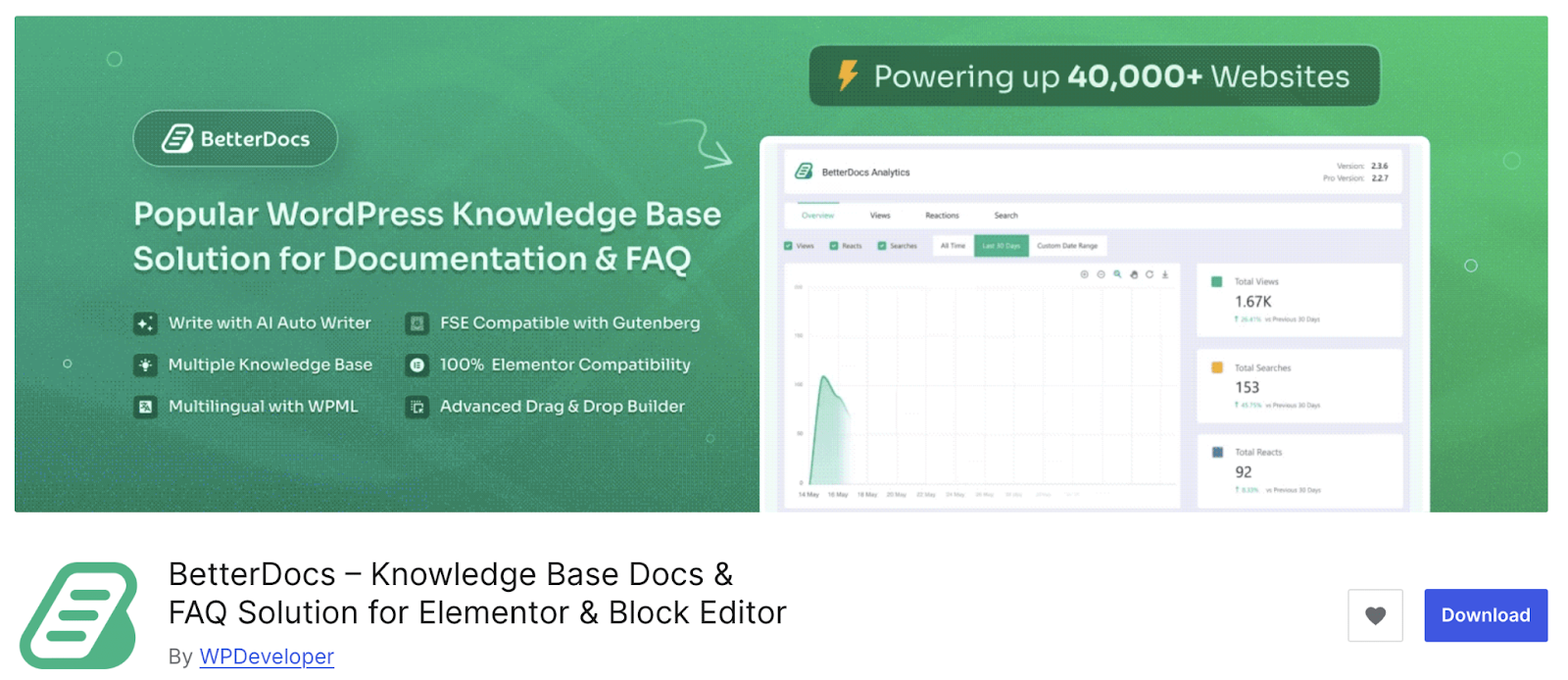
One of the biggest advantages of using BetterDocs is its easy setup process. Even organizations with limited technical resources can launch a functional knowledge base within minutes.
Some key capabilities that make it particularly useful for nonprofits include:
- Pre-designed knowledge base layouts that help you launch documentation pages quickly without designing from scratch.
- Instant live search so users can quickly find answers to their questions
- Built-in analytics to track which articles are most viewed or searched
- Role-based documentation management allows different team members to contribute content while maintaining control over publishing.
- The user experience in your knowledge base can be greatly enhanced by an AI-powered chatbot.
- Teams can swiftly draft, edit, and organize articles with the aid of AI-powered writing assistants. Small teams or nonprofits with little funding will particularly benefit from this.
These knowledge base features make it easier for nonprofit teams to maintain structured documentation while keeping the experience intuitive for visitors.
Below is a step-by-step overview of how nonprofits can create their knowledge base using this approach.
Step 1: Install And Activate Knowledge Base Plugin, BetterDocs
Let us start by installing the BetterDocs plugin from the WordPress dashboard. Navigate to Plugins → Add New, search for BetterDocs, then install and activate the plugin. Once activated, the plugin automatically creates the basic structure needed for your documentation system.
Step 2: Create Knowledge Base Categories
After installing BetterDocs, the next step is structuring your documentation with clear categories. Categories help visitors navigate the knowledge base easily and quickly find the information they need. For a typical knowledge base for nonprofits, you can organize documentation into sections such as:
- For Donors – information about donation methods, tax receipts and campaign transparency.
- For Volunteers – onboarding guides, responsibilities and volunteer policies.
- For Staff – internal procedures, SOPs and organizational policies.
- Annual Reports – impact reports, financial summaries and project updates.
Organizing content into logical categories improves the overall user experience while also making it easier for administrators to manage large volumes of documentation over time.
Step 3: Publish And Organize Documentation for Nonprofits
Once categories are created, you can begin publishing articles within each section of your knowledge base. Each article can address a specific topic, such as “How to Become a Volunteer,” “Donation Policies,” or “Program Impact Reports.”
BetterDocs provides several features that simplify documentation management.
For example, the drag-and-drop ordering system allows you to arrange articles in a logical structure without needing technical adjustments. This helps you highlight important resources at the top of each category.
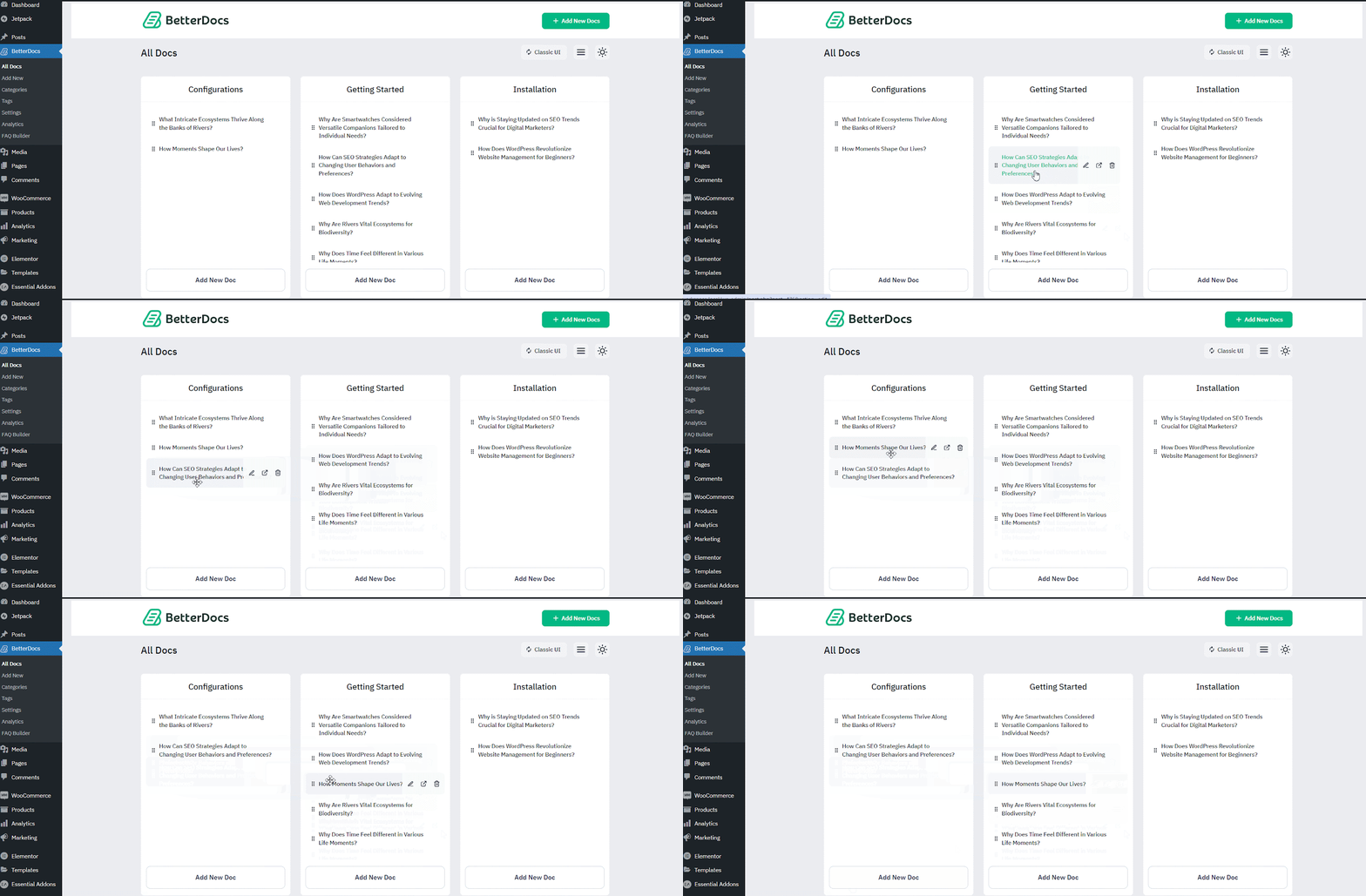
You can also improve discoverability by using tags and search optimization, ensuring users can locate relevant articles quickly through the search bar. Another helpful capability is the instant answers feature, which shows relevant documentation suggestions as users type their queries. This reduces the time needed to locate information and enhances the overall support experience.
Step 4: Customize the Knowledge Base Page
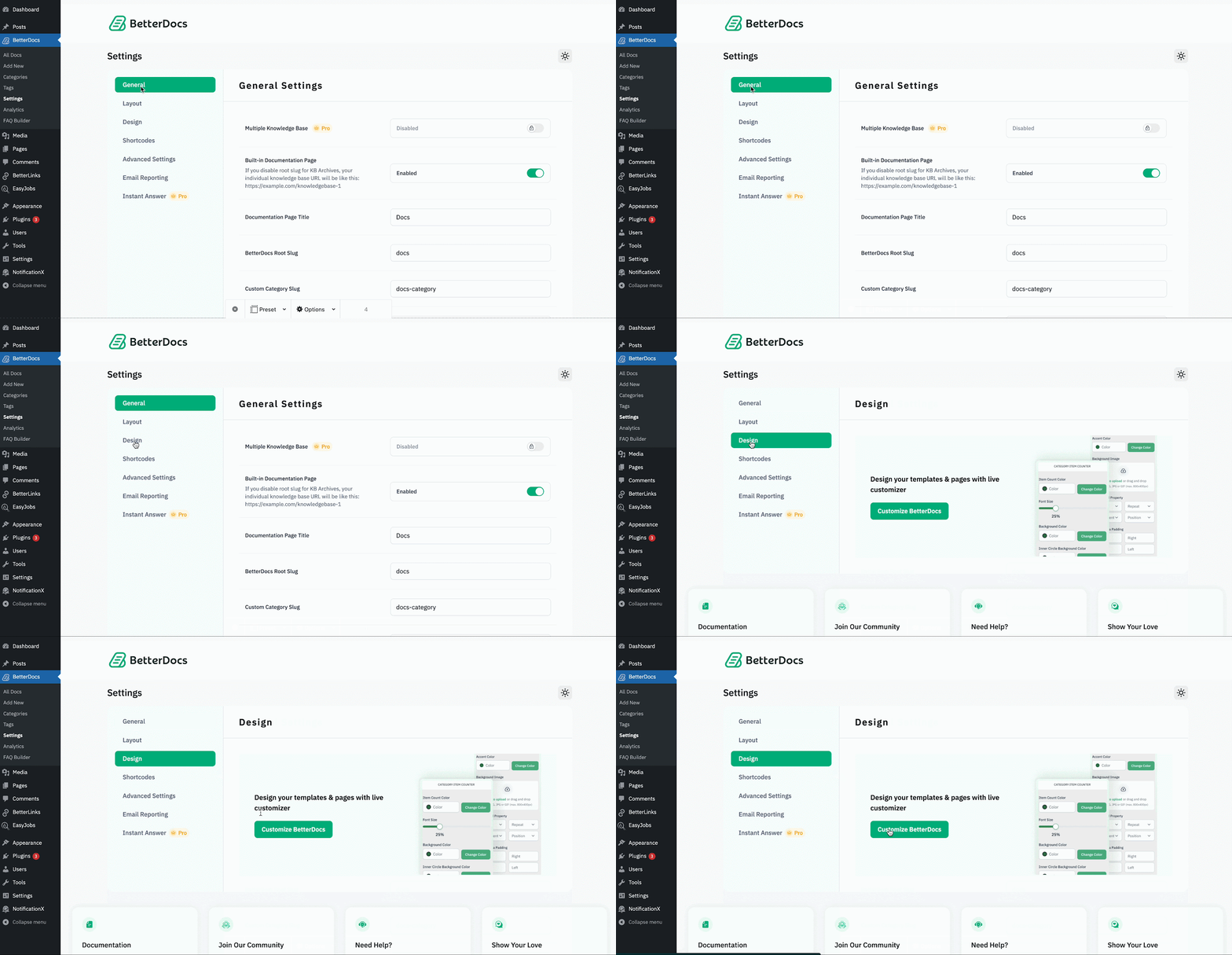
Finally, tailor the appearance of your knowledge base to match your nonprofit’s brand identity. BetterDocs provides pre-built layouts that allow you to create a professional documentation page without extensive design work. These layouts can be adjusted to match your website structure and content hierarchy.
Donors, volunteers and community members can easily access documentation from any device thanks to the knowledge base pages’ complete mobile responsiveness. This guarantees that your nonprofit’s knowledge base is always available, easy to use and consistent with your company’s online presence.
Best Practices for Managing a Knowledge Base for Nonprofits
Creating a knowledge base for nonprofits is only the first step. To keep it effective, organizations must actively manage and maintain their documentation over time. A well-managed knowledge base for nonprofits ensures that information remains accurate, searchable and useful for staff, volunteers, donors and community members.
Below are some key best practices that help nonprofits maintain a reliable and impactful knowledge base.
✅ Keep Documentation Updated
Information within a nonprofit organization constantly evolves. Donation policies change, new campaigns launch, volunteer procedures are refined and program outcomes are updated. If documentation is not regularly maintained, a knowledge base can quickly become outdated and misleading.
To prevent this, nonprofits should establish a routine review process. For example, teams can schedule quarterly documentation audits to verify that policies, guidelines and program information remain accurate. Assigning specific team members to review different sections of the knowledge base also helps maintain accountability.
Keeping documentation updated ensures that volunteers follow the correct procedures, donors receive accurate information and internal teams operate with consistent guidelines.
✅ Use Analytics to Track Popular Queries
Understanding how users interact with your knowledge base is essential for improving it. Analytics can reveal which articles receive the most traffic, what users are searching for and where information gaps exist.
Tools like BetterDocs analytics provide valuable insights into documentation performance. You can track metrics such as most viewed articles, search keywords used by visitors and content that users frequently access.
These insights help nonprofit teams identify common questions and prioritize updates to high-demand topics. If many users search for a particular issue but cannot find clear answers, it signals an opportunity to create new documentation. Using analytics strategically allows organizations to continuously optimize their knowledge base for nonprofits based on real user needs.
✅ Enable Instant Search for Faster Support
Users must be able to locate the information they require quickly for a knowledge base to be effective. An advanced search system significantly improves usability by allowing visitors to locate answers without browsing through multiple pages.
Instant search functionality displays relevant articles as users type their queries, reducing the time required to find solutions. This feature is particularly valuable for nonprofits that receive frequent questions about volunteering, donation procedures or program details. By enabling instant search organizations can reduce repetitive support requests and provide a faster self-service experience for donors, volunteers and community members.
✅ Assign Documentation Roles to Team Members
Managing a growing knowledge base should never depend on a single individual. As documentation expands, multiple contributors are often required to maintain different sections. Assigning role-based responsibilities ensures content stays organized and regularly updated.
Many documentation tools, including BetterDocs, support role-based documentation management, allowing administrators to control who can create, edit or publish content. This collaborative approach helps nonprofits maintain a consistent and well-structured knowledge base while distributing responsibilities across the organization.
✅ Use AI Writing Assistance to Create Documentation Faster
Maintaining a knowledge base requires regularly updating guides, FAQs, and process documentation. AI-powered writing assistants can help teams draft, refine, and structure articles quickly. This is especially helpful for nonprofits with limited resources or small teams. With AI assistance, you can generate first drafts, improve readability, and ensure your documentation remains clear, consistent, and easy for volunteers, donors, and beneficiaries to understand.
✅ Include an AI Chatbot for Instant Support
Adding an AI-powered chatbot to your knowledge base can significantly improve the user experience. Instead of searching through multiple articles, visitors can simply ask questions and get instant answers based on your documentation. This helps nonprofits provide 24/7 assistance to donors, volunteers and community members while reducing repetitive support requests for the team. A chatbot also makes your knowledge base more interactive and accessible for users who prefer conversational help.
Common Mistakes Nonprofits Make When Building a Knowledge Base
Creating a knowledge base for nonprofits can significantly improve transparency, internal collaboration and supporter engagement. However, many organizations struggle to get the full value from their documentation system because of avoidable mistakes in structure, maintenance and strategy. Understanding these common pitfalls can help nonprofits build a knowledge base that is both practical and impactful.
⛔ Overcomplicating Structure
One of the most frequent mistakes nonprofits make is creating an overly complex documentation structure. When there are too many categories, subcategories and scattered articles, users may struggle to find the information they need. A clean and well-structured navigation system improves usability and encourages visitors to explore the knowledge base more confidently.
⛔ Ignoring Search Optimization
Even with a well-organized structure, many users prefer searching for information directly rather than browsing categories. If search functionality is not optimized, visitors may struggle to find relevant content quickly.
Advanced knowledge base tools often provide instant search features, allowing users to see suggested articles as they type. This significantly improves the self-service experience and helps supporters find answers without needing direct assistance.
⛔ Not Updating Documentation
A knowledge base is not a one-time project. As nonprofit programs evolve, documentation must evolve as well. To prevent this, nonprofits should schedule periodic reviews of their knowledge base content. Assigning team members to maintain specific sections ensures that policies, program information and FAQs remain accurate and relevant.
⛔ Not Linking to Donation Opportunities
Another overlooked mistake is treating the knowledge base purely as an information hub without connecting it to fundraising efforts. Visitors often explore knowledge base articles to learn more about an organization’s mission, impact or programs. These moments of engagement create a natural opportunity to invite support.
By strategically linking donation forms or campaign pages within relevant articles, nonprofits can guide interested readers toward contributing to the cause. For example, an article explaining a program’s impact can include a donation option for supporters who want to help expand that initiative.
Bonus: Launch a Nonprofit Campaign Alongside Your Knowledge Base
Building a knowledge base for nonprofits does more than organize information; it helps establish credibility. When donors, volunteers and supporters can easily access documentation about your mission, programs, financial transparency and impact, they develop greater confidence in your organization. This trust plays a crucial role in fundraising success.
When potential donors clearly understand how your organization operates and how funds are used, they are more likely to contribute. A well-maintained knowledge base answers common questions, removes uncertainty and demonstrates accountability, all of which strengthen donor confidence.
Once this foundation of trust is established, the next step is to create a streamlined way for supporters to donate. This is where launching a structured fundraising campaign becomes important. By combining a transparent knowledge base with an easy-to-use donation system, nonprofits can both educate supporters and convert their interest into meaningful contributions.

Read More 👉10+ Easy Fundraising Ideas for Nonprofits That Actually Work
How to Launch a Nonprofit Campaign in WordPress?
To simplify the fundraising process on WordPress, nonprofits can use a plugin like Better Payment to create and manage donation forms directly on their website. This allows organizations to collect donations, manage campaigns and track supporter contributions without relying on complex third-party systems.
Below is a simple approach to launching a nonprofit campaign.
Step 1: Create a Donation Form
Step 2: Add Campaign Details
Step 3: Track Payments & Manage Donors
Learn How to Launch a Fundraising Campaign From Scratch Using Better Payment
Build Trust First & Drive Impact to Fundraising Campaigns
A well-designed knowledge base for nonprofits does more than store documentation, it empowers your organization to operate with clarity, transparency and efficiency. By organizing key resources for volunteers, donors and internal teams, you make it easier for people to understand your mission and engage with your work.
When supporters can quickly access accurate information, trust grows naturally. And when trust grows, it becomes easier to inspire participation, collaboration and donations. Now is the perfect time to start building your knowledge base for nonprofits. With the right tools and structure, you can create a resource hub that not only simplifies communication but also strengthens your organization’s long-term impact.
Have you found this blog useful? Share your thoughts in the comments section and subscribe to our newsletter or join our community to receive additional fundraising tips and tricks.
FAQs: Knowledge Base for Nonprofits
Q1: What is a knowledge base for nonprofits?
A knowledge base is a centralized hub for storing and sharing important information like volunteer guides, donor FAQs and program documentation.
Q2: Why do nonprofits need a knowledge base?
It improves internal efficiency, reduces repetitive queries and builds trust with donors, volunteers and supporters.
Q3: Which WordPress plugin is best for creating a knowledge base for nonprofits?
BetterDocs is ideal, offering structured documentation, instant search, pre-built layouts and analytics.
Q4: Can I link donations within my knowledge base?
Yes, you can embed donation forms using Better Payment directly in articles or pages to convert trust into support.
Q5: How do I keep my knowledge base effective?
Regularly update content, track popular queries using analytics, enable search and assign roles to team members for maintenance.